
AI chatbots for small businesses: a practical guide
You don’t need a support team or a developer to have a good chatbot. Here’s what an AI chatbot can realistically do for a small business, and how to get one live in an afternoon.

Big companies have had chatbots for years, built by teams of developers. What's changed is that AI chatbots now work from the documents you already have, so a five-person business can set one up without writing scripts or code. If you're new to the idea, What is an AI website agent? explains the basics.
What small businesses actually use them for
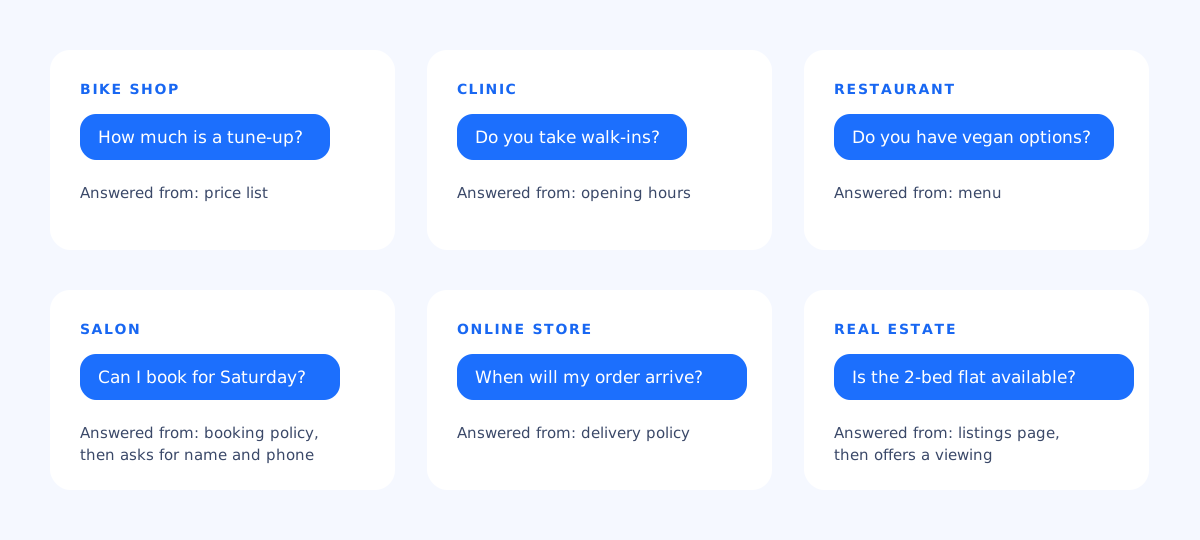
- Shops and workshops: prices, stock, opening hours, repair times.
- Clinics and studios: services, walk-ins, what to bring, parking. (Keep medical advice out of it: the agent should answer practical questions from your documents and refer anything clinical to your staff.)
- Restaurants and cafés: menu, dietary options, reservations, private events.
- Salons and services: price list, booking requests, cancellation policy.
- Online stores: shipping times and costs, returns, sizing.
- Agencies and real estate: listings and services, collecting enquiries for follow-up.
The benefits, honestly
- Time back. Fewer repeat questions by phone, email and messaging apps. See how AI chatbots improve customer support.
- Open after hours. Your website answers questions while you're closed.
- More enquiries. Visitors who get an answer are more likely to book, and the chatbot can collect their details. See AI chatbots for lead generation.
- Every language. It replies in the visitor's language from documents in yours.
And the limits: it only knows what you give it, it doesn't replace you for complaints or exceptions, and it needs ten minutes of attention a week to stay sharp.
What it costs
Pricing varies a lot between platforms, usually based on how many chats or messages you have each month. askAgent has a free plan for one chatbot on one website (100 chats a month, no card needed), and a Pro plan at $19 a month for up to 5 chatbots and 2,000 chats, with your own logo, transcript emails and lead export. Details on the pricing page.
Whatever you choose, check three things: what counts as a “chat” or “message”, what happens when you hit the limit, and whether removing the platform's branding costs extra.
A one-afternoon plan
- Collect your answers (1 hour). Your price list, opening hours, policies, and a plain FAQ file with the ten questions you hear most. Our guide to preparing documents helps.
- Create the chatbot (20 minutes). Upload the files, add your website address, and write two or three lines of instructions about tone and when to ask for contact details.
- Test it (30 minutes). Ask it the questions your customers ask, the way they ask them. Fix gaps in the documents, not in the instructions.
- Make it yours (10 minutes). Pick a theme, your brand colour and a greeting.
- Go live (10 minutes). Paste one line of code into your site. Here's where to paste it on WordPress, Shopify, Wix and others.


